
A finished logo is only the beginning of a usable identity. Someone still needs to know which version belongs on a dark background, how much space it needs, and which typefaces support it.
Free brand guidelines templates turn those decisions into a document that clients and colleagues can actually follow. Instead of designing every page from scratch, you can spend your time explaining the rules that make the identity recognizable.
This collection focuses on editable brand documentation, not logo generators or ready-made business stationery. The resources include presentation templates, desktop design files, and Figma starting points. Some suit a short internal reference; others provide room for a more detailed client handoff.
Choose according to the people maintaining the document, not just its cover. A beautiful file becomes less useful when nobody on the receiving team can comfortably update its contents.
Free access also comes in different forms. You may need an account, a contact form, or a zero-dollar checkout before opening a template. Template licensing terms can differ from the rights attached to sample photography, fonts, and logos.
The notes below distinguish the available formats and known access conditions, while the source links let you check the current details. Treat every example identity as placeholder material until you replace it with your own approved assets.
Quick picks at a glance
| # | Resource | License | Best for |
|---|---|---|---|
| 1 | Canva | Free templates available; Canva content terms apply | Non-designers editing a visual brand presentation together |
| 2 | HubSpot | Free download after contact form; HubSpot terms apply | Marketing teams explaining identity decisions to colleagues |
| 3 | Smartsheet | Free template downloads; source terms apply | Choosing between concise and detailed branding documents |
| 4 | Akrivi | Free zero-dollar checkout; review included usage terms | Designers building a structured desktop publishing handoff |
| 5 | Medialoot | Free personal and commercial use with attribution; no redistribution | Compact printed references with clearly stated attribution rules |
| 6 | UI Magic | Free Figma resource; check file license before client use | Design teams adapting reusable styles and variables |
| 7 | Brand Base | CC BY 4.0; attribution required | Figma users wanting an explicitly attributed starting point |
| 8 | 7 Creative Media | Free Figma resource; review file-specific terms | Small projects needing a manageable twelve-screen framework |
| 9 | Brand Foundations Template | Free editable Figma template; verify file license | Documenting broader identities beyond logo and palette basics |
| 10 | Rushiz | Free Figma resource; confirm applicable Community license | Evaluating an adaptable identity presentation before client delivery |
Canva
Online presentation templates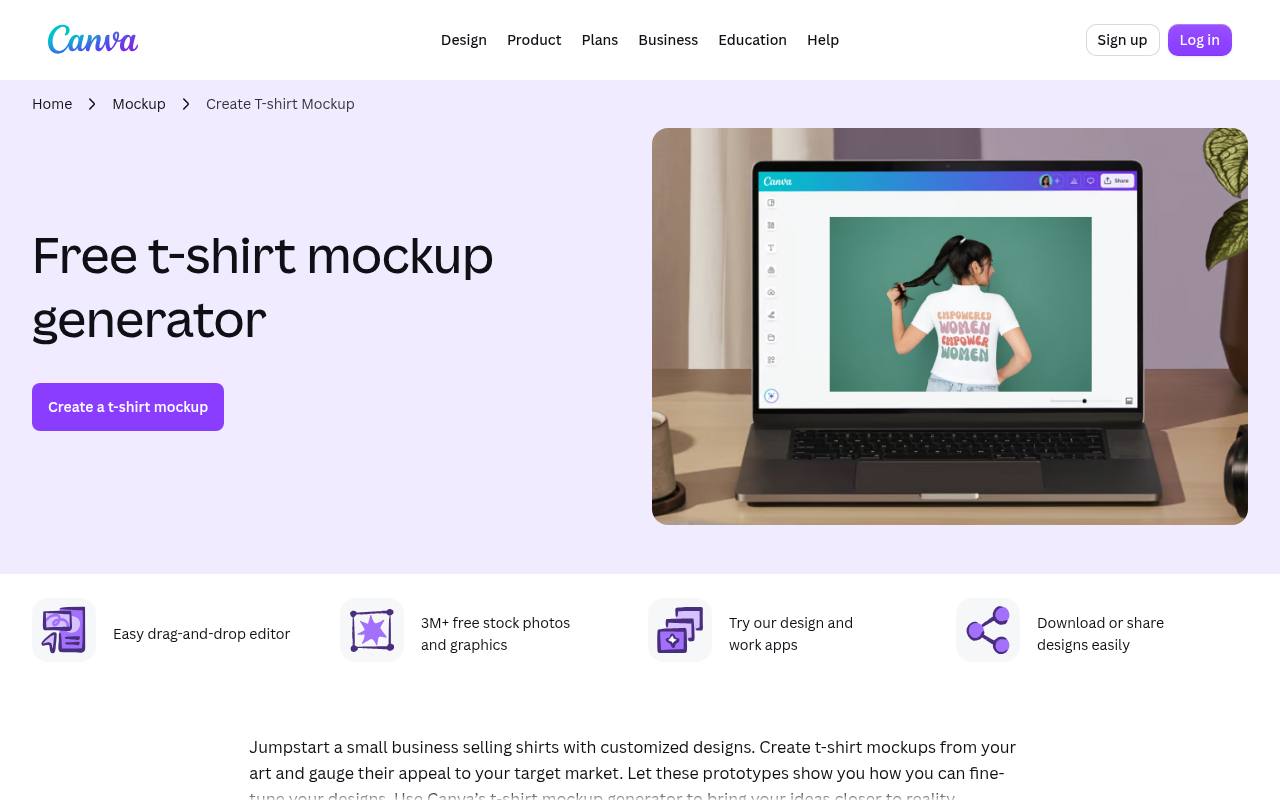
Canva offers a dedicated collection of brand guidelines presentations, with visual directions ranging from restrained corporate layouts to more expressive restaurant and fashion treatments. Start with a free template and replace the example identity with your own colors, typography, images, and usage notes.
Its browser-based editor makes this a practical option when the document owner does not use desktop design software. Check each selection and its included elements before committing: the collection can contain premium content, and free access does not mean every asset or brand-management feature is included.
- Type
- Online presentation templates
- Best for
- Non-designers editing a visual brand presentation together
- License
- Free templates available; Canva content terms apply
- Price
- Free + Pro
HubSpot
Presentation template
HubSpot provides a free presentation-based starting point with instructions in the slide notes. Its suggested workflow is straightforward: add the company logo, change the theme colors, replace the images, and revise the text to reflect your organization.
That structure suits marketing teams who need to explain an identity rather than simply display attractive sample pages. The download requires contact information. The page names PowerPoint and Google Slides in its heading, although a highlight mentions Google Sheets, so confirm the offered format when you access the template.
- Type
- Presentation template
- Best for
- Marketing teams explaining identity decisions to colleagues
- License
- Free download after contact form; HubSpot terms apply
- Price
- 100% free
Smartsheet
Office document templates
Smartsheet brings several free branding documents together on one page, including comprehensive and simple presentations in PowerPoint and Google Slides. The fuller option makes space for strategy, voice, logo usage, company colors, typography, images, icons, and social standards.
The simple version narrows the focus to essential identity rules, making it easier to avoid an unnecessarily large handoff. This is a useful source when your first decision is document scope rather than visual style. Download the relevant template instead of assuming every file on the page has the same structure.
- Type
- Office document templates
- Best for
- Choosing between concise and detailed branding documents
- License
- Free template downloads; source terms apply
- Price
- 100% free
Akrivi
Illustrator and InDesign files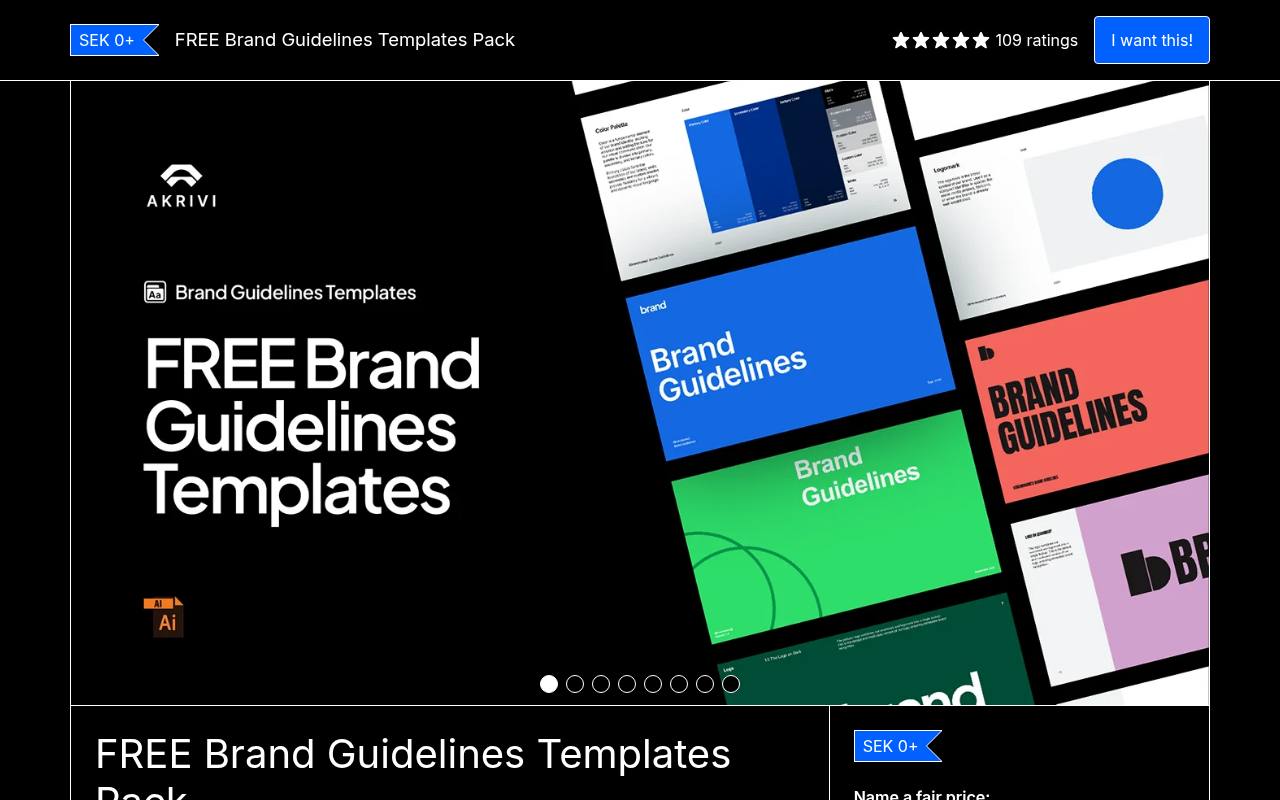
Akrivi supplies a free template pack through Gumroad with Illustrator and InDesign files. The listing describes more than 38 structured pages and multiple visual themes intended for presenting and handing off an identity system. It is a better fit for designers already working in Adobe applications than for clients expecting a browser-only editing experience.
Use the zero-dollar checkout to obtain the free pack; an optional contribution is not a required purchase. Read the supplied terms before redistributing editable source files, and remember that the Adobe software itself is separate from the free download.
- Type
- Illustrator and InDesign files
- Best for
- Designers building a structured desktop publishing handoff
- License
- Free zero-dollar checkout; review included usage terms
- Price
- 100% free
Medialoot
Illustrator and Sketch templates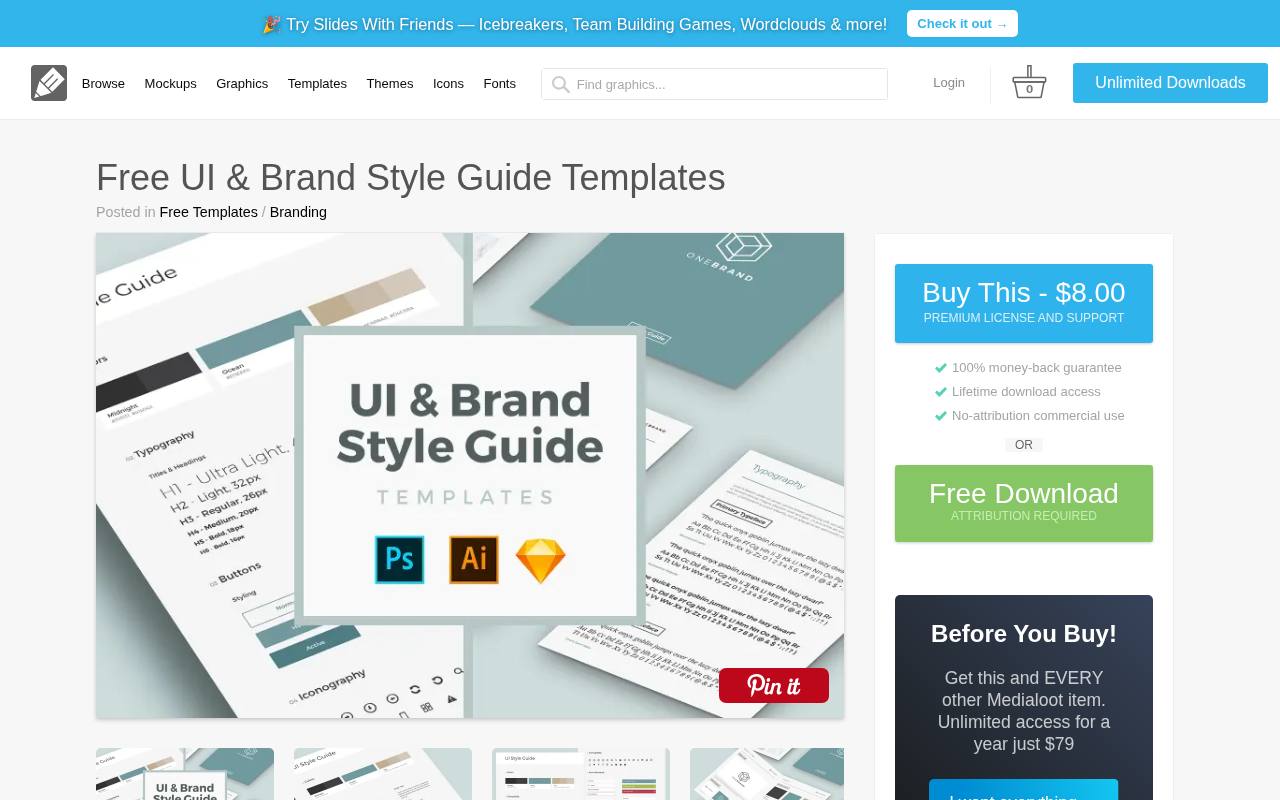
Medialoot pairs a UI reference with a separate five-layout brand manual. The branding portion includes a cover, logo rules, color scheme, typography, and graphic elements, supplied in Illustrator and Sketch formats at A4 size. That compact structure works well when a long presentation would overwhelm the recipient.
The free license allows personal and commercial projects but requires attribution to Medialoot and prohibits distributing the set as your own resource. A paid or membership option removes attribution; confirm its terms if an uncredited client deliverable is essential to your workflow.
- Type
- Illustrator and Sketch templates
- Best for
- Compact printed references with clearly stated attribution rules
- License
- Free personal and commercial use with attribution; no redistribution
- Price
- Free + paid license
UI Magic
Figma template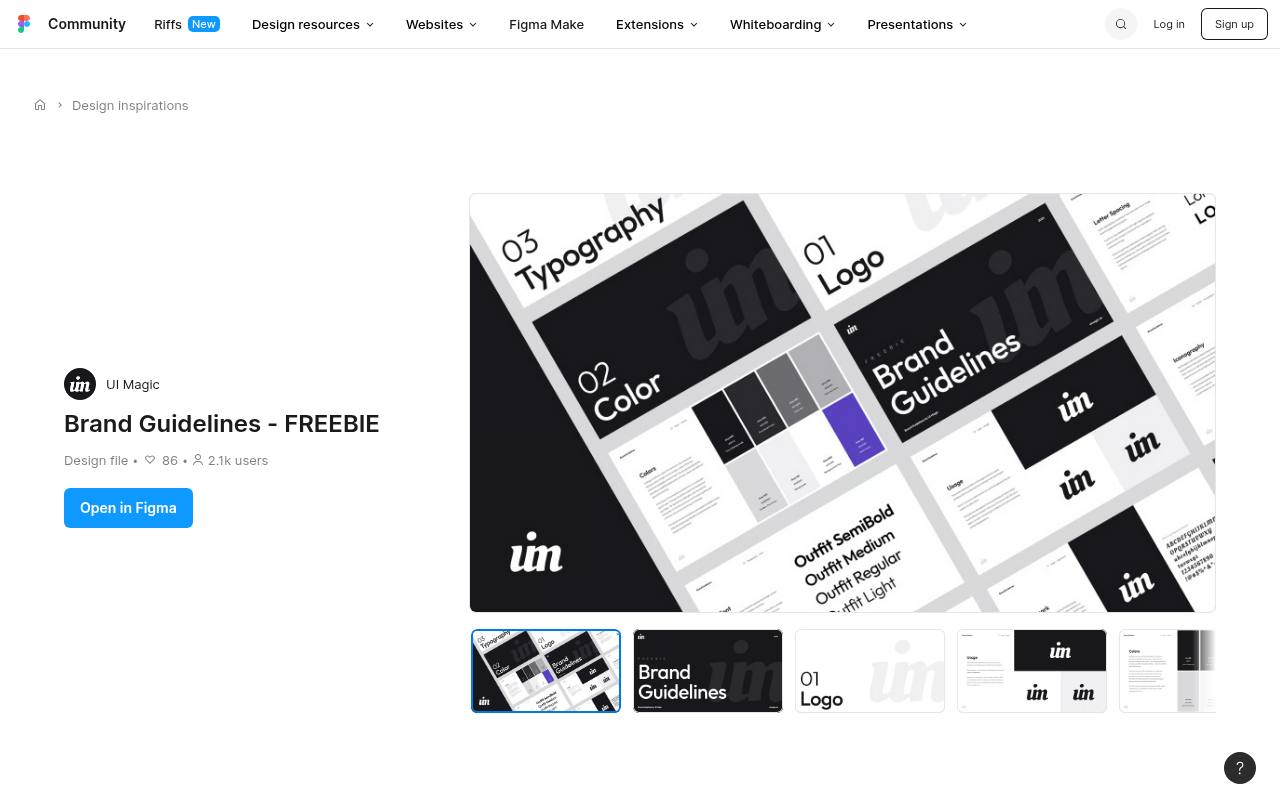
UI Magic shares the identity document behind its own website, visuals, and client-facing materials as a free Figma resource. The listing specifically highlights components, styles, and variables, making it worth considering when you want reusable structure rather than a stack of disconnected presentation pages.
Replace the studio’s identity and example content with your own approved system before delivery. Its existing brand framework can help you see how a working team organizes visual decisions, but the public description does not establish unrestricted resale rights. Check the file’s license before including editable material in client packages.
- Type
- Figma template
- Best for
- Design teams adapting reusable styles and variables
- License
- Free Figma resource; check file license before client use
- Price
- 100% free
Brand Base
Figma template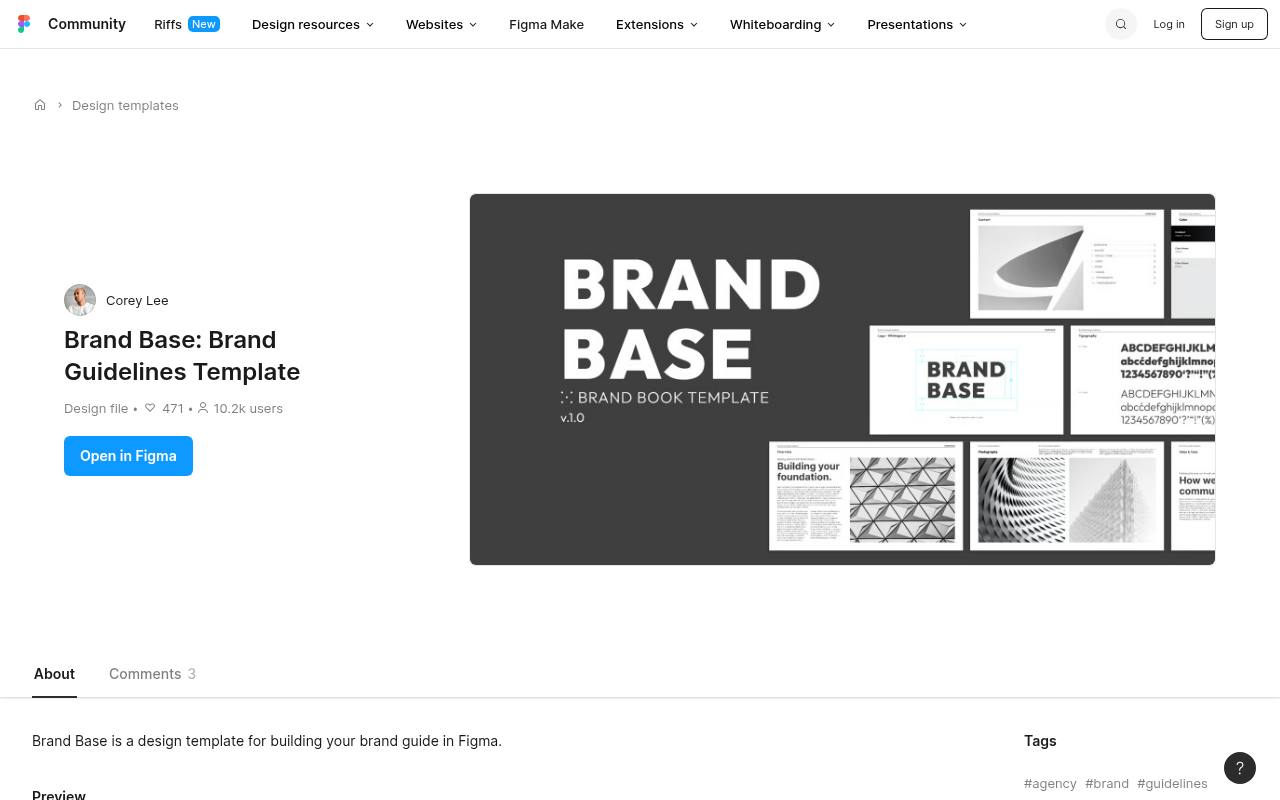
Brand Base is a Figma design template for building brand documentation, with a clearly displayed CC BY license on its Community listing. That explicit license is helpful when you need to record where a template came from and how your team may adapt it.
Give appropriate credit, link the license, and indicate changes as required by the license rather than treating a free download as attribution-free. The listing is brief, so inspect the preview before choosing it for a complex identity system; do not assume it contains every specialist section your project needs.
- Type
- Figma template
- Best for
- Figma users wanting an explicitly attributed starting point
- License
- CC BY 4.0; attribution required
- Price
- 100% free
7 Creative Media
Figma template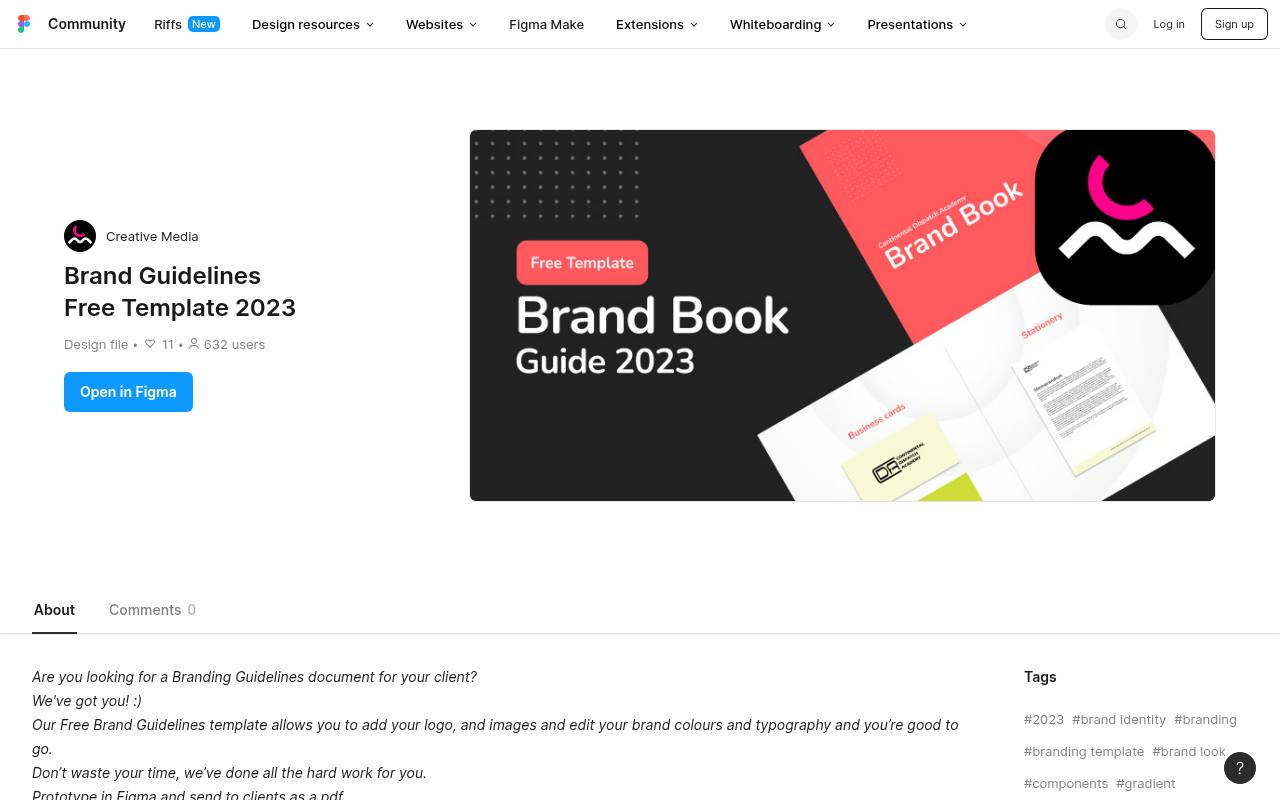
This free Figma resource offers twelve editable screens and organized layers, with an emphasis on replacing the logo, images, brand colors, and typography. The creator also suggests prototyping the document in Figma or sending clients a PDF, giving you a simple choice between an interactive review and a fixed handoff.
Its compact screen count makes it a sensible candidate for smaller identities that do not need a lengthy manual. Review the actual file and its licensing details first, then add any missing rules instead of squeezing important exceptions into decorative placeholder pages.
- Type
- Figma template
- Best for
- Small projects needing a manageable twelve-screen framework
- License
- Free Figma resource; review file-specific terms
- Price
- 100% free
Brand Foundations Template
Figma template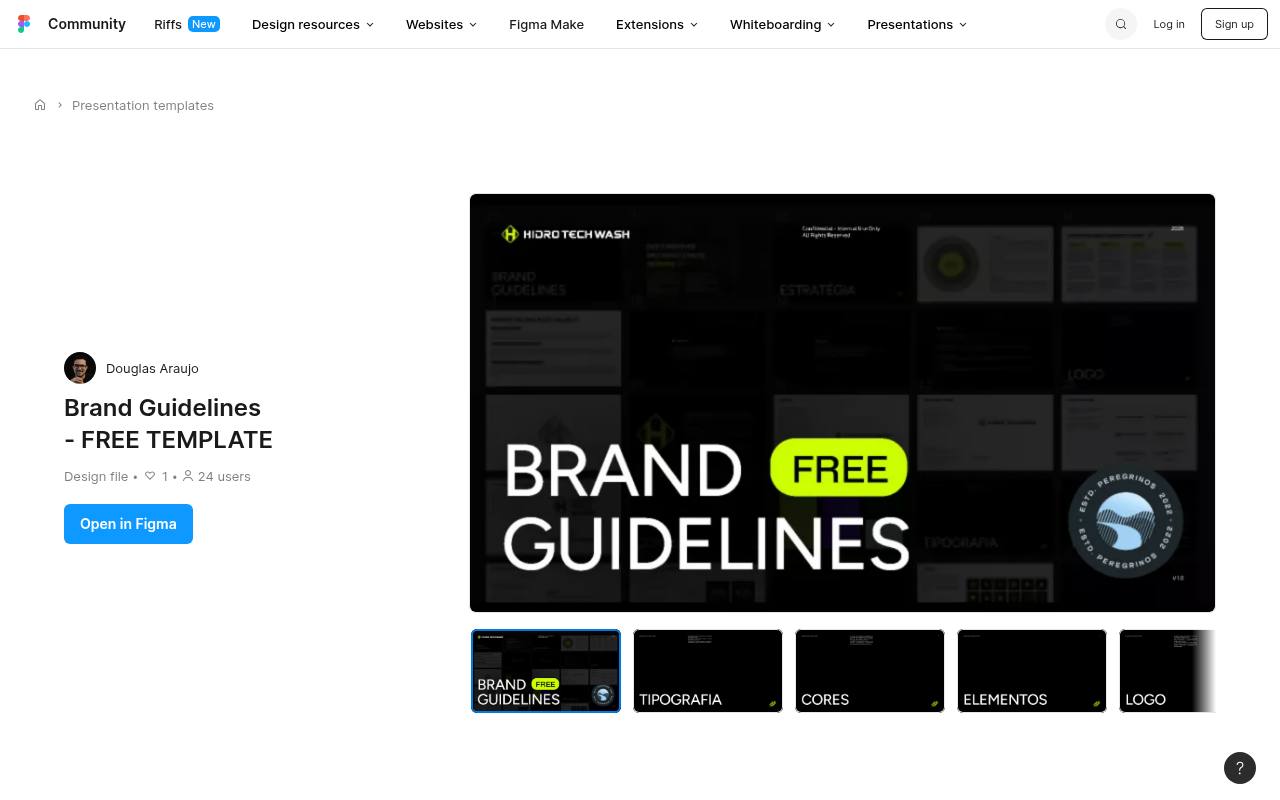
This free Community template describes more than thirty pages covering brand foundations, logo variations, clear space, color, typography, imagery, iconography, graphic elements, layout, and applications. That breadth makes it a useful starting point when the identity extends beyond a logo and two colors.
Everything is presented as editable in Figma, so you can remove irrelevant sections instead of filling them with generic claims. Pay particular attention to layout and composition: these sections can explain how the identity behaves across materials. Check the listing’s current file license before commercial adaptation or sharing source files.
- Type
- Figma template
- Best for
- Documenting broader identities beyond logo and palette basics
- License
- Free editable Figma template; verify file license
- Price
- 100% free
Rushiz
Figma template
Rushiz offers a free Figma template positioned for brand owners and designers, with the description emphasizing instructions and examples as well as adaptability to different organizations. Unlike listings that publish a detailed section inventory, this one makes broad promises rather than specifying every included page.
Open the preview and inspect the file before choosing it for a demanding client handoff. Its editable starting point is most useful when you already know which identity rules you need to document. Confirm the license and replace demonstration content rather than assuming the example assets transfer with your brand.
- Type
- Figma template
- Best for
- Evaluating an adaptable identity presentation before client delivery
- License
- Free Figma resource; confirm applicable Community license
- Price
- 100% free
Choose the format your team can maintain
Start with editing responsibilities, not the template thumbnail. Canva or a presentation file may suit a marketing owner who regularly updates messaging. Figma works well when designers maintain the identity system, while Illustrator and InDesign fit a desktop publishing workflow.
Ask the recipient to open a sample before building the full document. A free download saves little time if every minor revision later requires a specialist to reconstruct the file.
Define the minimum useful contents
A useful brand manual template should explain approved logo variants, clear space, minimum size, color values, and type hierarchy. Add voice, photography, or layout rules when those decisions genuinely affect daily production.
Give each rule an example and an exception where necessary. Avoid inventing a complex system just because the template includes extra pages; a short document with specific answers is more dependable than a large one filled with vague statements.
Separate template rights from asset rights
Keep a license record alongside the downloaded file, including the source URL and any required attribution. Permission to adapt a layout does not automatically cover its sample logo, photographs, illustrations, or fonts.
Check whether commercial work, editable-file delivery, and redistribution are permitted. For resources with limited public terms, resolve those questions before using them in paid work. Replace uncertain example assets rather than leaving legal ambiguity for the client to discover.
Make color and typography operational
Document usable color combinations, not just attractive swatches. Identify approved foreground and background pairs, check their contrast for intended text sizes, and include values appropriate to screen or print production.
For typography, specify hierarchy, weights, spacing, fallback fonts, and where licensed files are stored. Explain what happens when the preferred typeface is unavailable. These practical details prevent colleagues from guessing when they move the identity from a presentation into everyday communication.
Test the rules on real materials
Before finalizing the document, run a small production test using representative materials, such as a web header, a proposal cover, and an internal announcement. Ask someone who did not design the identity to follow the instructions without extra explanation.
Note where they hesitate or improvise, then improve the relevant page. Testing reveals missing rules more reliably than adding another decorative spread, and it keeps the document focused on repeatable decisions rather than presentation polish.
Deliver a reference and an editable master
Package an editable master file together with a clearly named reference PDF when your software and terms permit it. Link to approved assets in a stable shared location instead of embedding scattered download instructions.
Include the document owner, revision date, and a short change history so recipients can identify the current version. After exporting, check links, text legibility, and page order. Keep confidential internal notes out of any version intended for external partners.
Can a free template support client work?
A free resource can support professional client documentation when its license permits the intended use and you do the customization thoroughly. The template supplies organization, not the client’s strategy or a guarantee of legal clearance.
Agree on scope before editing: a basic identity reference is different from a comprehensive operating manual. If the client needs print specifications, multilingual typography, or regulated messaging, add specialist review rather than expecting the original template to answer those questions.